

Shipment Journey
This topic provides you detailed understanding of how Order APIs function when using the Acme eCommerce product. As a supplier, you can use these APIs to view the status of a shipment, estimated delivery date and the current transit location of the order. Acme's supplier service stores the shipment traking information which can be accessed via REST APIs and displayed as a shipment journey to your end-customer or just for your own reference.
Brief context
An order shipment journey represents all the functions that happen between the state when the order is successfully manifested and shipped from sender's location and until the said order is delivered to the customer.
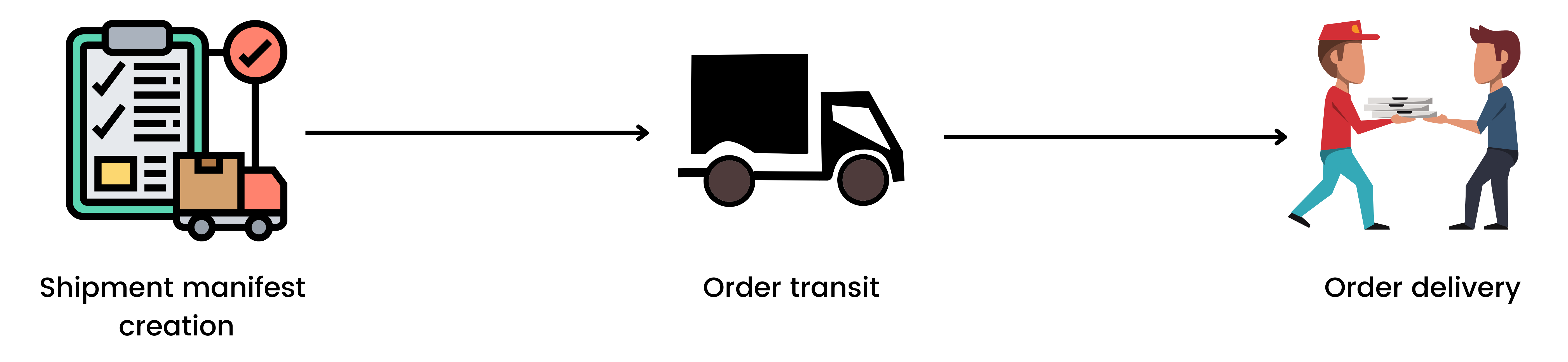
Steps involved
The general flow for using the Shipment APIs are as follows: 1. Request for an authentication token. 2. User the relevant API methods and endpoints to access order status.
Gateway URL
The Acme API Gateway URL is https://api.acme.com/v1. You need to include this before each API endpoint to make API calls to Acme servers.
Authentication
Acme Corp uses OAuth 2.0 for authentication. To request for an authentication token, you need to include the unique Client ID and Secret Code along with the API request.
POST https://oauth.acme.com/oauth/token
Sample authentication request
{
    "client_id": "{CLIENT_ID}",
    "secret_code": "{CLIENT_SECRET_CODE}",
    "grant_type": "access_token"
}
Sample response
{
    "access_token": "token",
    "expires_in": 86400,
    "token_type": "supplier"
}
Header
| Key | Value | Type |
|---|---|---|
Content-Type |
application/json |
string |
Request body
| Parameter | Type | Description |
|---|---|---|
client_id |
string | The unique client_id provided by Acme corp. |
secret_code |
string | The secret code shared by Acme corp. |
grant_type |
string | Enter the text "access_token" |
Order APIs
Using the Order APIs suppliers can access the status of an order and its transit information which you can display to the end customers.
Get status API
This endpoint allows you to access the status of a shipment.
GET https://api.acme.com/v1/orderstatus/{count}
Sample request
curl -u [CLIENT_ID]:[CLIENT_SECRET_ID]\
  -X GET https://api.acme.com/v1/orderstatus/order?count=1
Sample response
{
    "general_order_information": {
        "transaction_id": "12-34567890123456789",
        "shop_order_id": "test-order-123",
        "shop_buyer_id": "test-buyer-123",
        "supplier_id": "test-supplier-123",
        "order_creation_date": "2022-03-10T18:06:52.438+01:00",
        "currency": "INR"
    }
}
Header
| Key | Value | Type |
|---|---|---|
Content-Type |
application/json |
string |
Authorization |
supplier |
Use the token_type value you got from the authentication response. |
Request body
Path
| Parameter | Type | Description |
|---|---|---|
count |
integer | Specify the number of orders you need to display per API request. |
Query
| Parameter | Type | Description |
|---|---|---|
CLIENT_ID |
string | Enter your unique client id. |
CLIENT_SECRET_CODE |
string | Enter your secret code |
Response body
| Parameter | Type | Description |
|---|---|---|
transaction_id |
string | The current transaction id. |
shop_order_id |
string | The respective order id. |
shop_buyer_id |
string | The customer id. |
supplier_id |
string | The seller id. |
order_creation_date |
string | The date and time when the order was placed by the customer. |
currency |
string | The currency representation for that order. |
Errors
| Error Code | Meaning | Description |
|---|---|---|
| 400 | Bad Request | Your request is invalid. |
| 401 | Unauthorized | Your API key is wrong. |
| 403 | Forbidden | The requested data is hidden or can be accessed by administrators only. |
| 404 | Not Found | The specified data could not be found. |
| 405 | Method Not Allowed | You tried to access data with an invalid method. |
| 406 | Not Acceptable | You requested a format that isn't json. |
| 410 | Gone | The requested data has been removed from our servers. |
| 429 | Too Many Requests | |
| 500 | Internal Server Error | We had a problem with our server. Try again later. |
| 503 | Service Unavailable | We're temporarily offline for maintenance. Please try again later. |